
How to Choose the Right BreezeDoc Plan
BreezeDoc has four plans: Free, Individual ($19 once), Agency ($49 once) and Pro ($10 a month). All send unlimited documents; they differ in branding and teams.
Prerequisites
- Account: a BreezeDoc account, or none yet. The Free Plan needs no payment.
- Your needs: whether you need reminders, your own logo, no BreezeDoc branding, a custom domain, or a team
How Do the BreezeDoc Plans Compare?
Every plan sends unlimited documents and includes unlimited templates, multiple signers, passcodes, invoicing and API access. This is what changes:
| Free | Individual | Agency | Pro | |
|---|---|---|---|---|
| Price | $0 | $19 one-time | $49 one-time | $10 a month or $99 a year |
| Where you buy it | Sign up | AppSumo | AppSumo | In BreezeDoc |
| Automatic reminders | No | Yes | Yes | Yes |
| Custom email and redirect after signing | No | Yes | Yes | Yes |
| Card payments on invoices (Stripe) | No | Yes | Yes | Yes |
| Your own logo | No | No | Yes | Yes |
| BreezeDoc branding | Full | Smaller | Your logo on top, small BreezeDoc mark at the bottom | None |
| Custom domain (signing links open on sign.yourcompany.com, not breezedoc.com) | No | No | No | Yes |
| Team | No | No | You + 3 members | You + 9 members |
| Public signing links switched on at once | 1 | 10 | Unlimited | Unlimited |
| Bulk send, people per batch | 19 | 100 | 500 | 500 |
Individual and Agency are one-time purchases with lifetime access and a 60-day refund guarantee. Pro is the only plan billed again: monthly or yearly, and you can cancel anytime. The full feature list is in BreezeDoc Plan Features.
Bought Agency before November 4, 2026? You keep a team of 10, no BreezeDoc branding and your own signing domain. Nothing changes for you.
Which Plan Is Right for Me?
Do I need to pay to send more documents?
No. Every plan, Free included, sends unlimited documents. On the Free Plan you need to verify your email address before you can send to other people.
Do you need automatic reminders or a custom signing email?
Both start at the Individual Plan. See Which Emails Does BreezeDoc Send? Notifications and Reminders.
Do you want your logo, or no BreezeDoc branding at all?
Agency puts your logo on the emails and signing pages, with a small BreezeDoc mark left at the bottom. Pro removes BreezeDoc branding completely: your clients see only your name.
Do you want signing links on your own domain?
Only Pro has a custom domain: the link in your email and the signing page open on sign.yourcompany.com instead of breezedoc.com. Set it up under Settings → Custom domain.
Does a team need to work on the same documents?
Agency gives you a team of 4 (you plus 3 members). Pro gives you a team of 10. See How to Add and Manage Team Members.
Plan Recommendations by Use Case
- Occasional or personal use: Free. Unlimited documents and every field type.
- Freelancer or consultant: Individual. Reminders, a custom email, a redirect after signing and card payments on invoices.
- Small team that wants its own logo: Agency. A team of 4 and your logo, paid once.
- Business that wants no BreezeDoc branding: Pro. A custom domain for your signing links, a team of 10 and no BreezeDoc branding.
How Do I Upgrade?
- Open Settings → Plan, or click Upgrade in the top menu.
- For Individual or Agency, click the upgrade button. You complete the one-time purchase on AppSumo.
- For Pro, click $10 a month or $99 a year under Go Pro and pay by card. Pro is active as soon as the payment goes through.
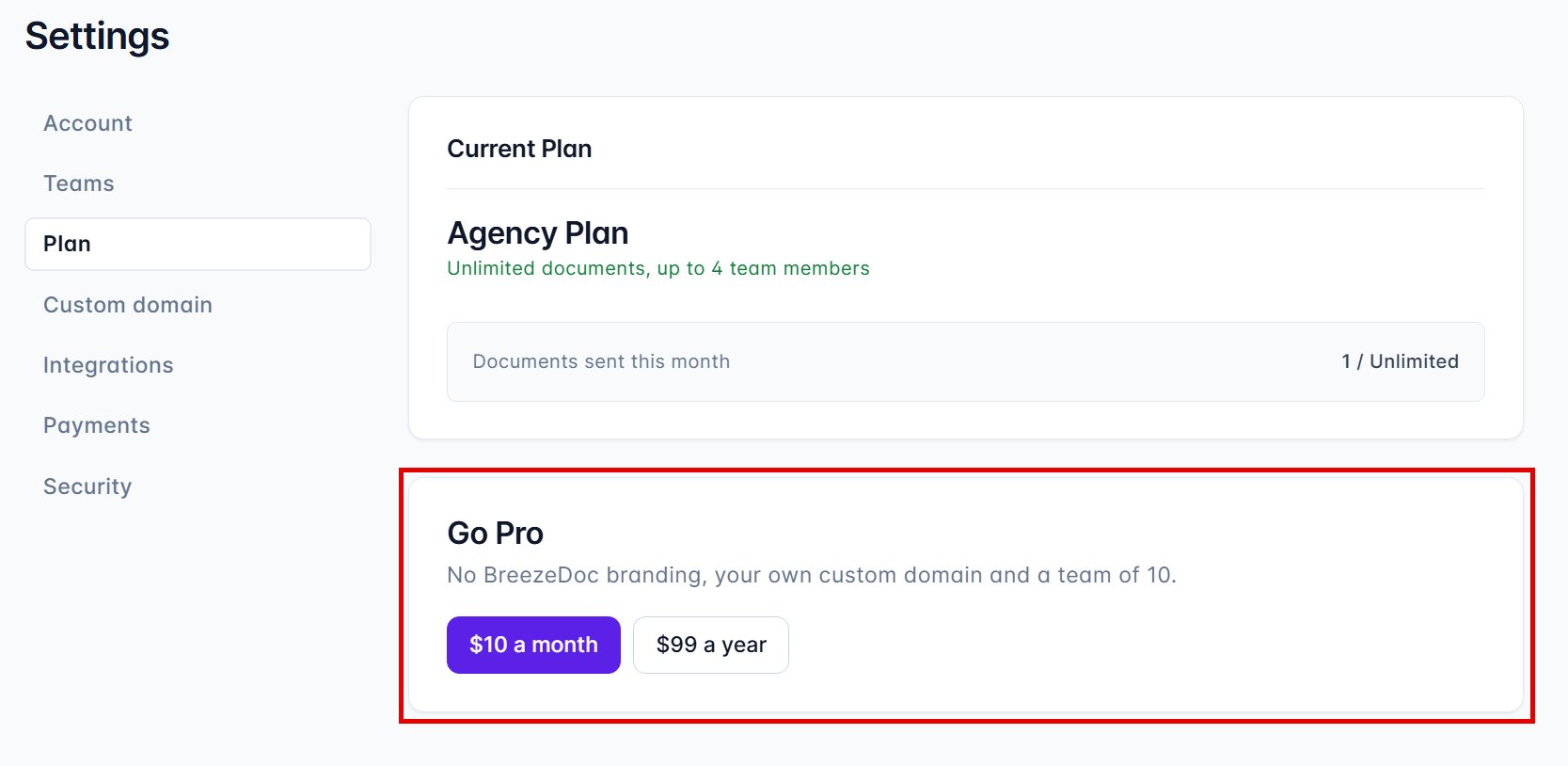
You can also start Pro from the Pricing page (Start Pro, or Or pay $99 a year) or from Settings → Custom domain (Upgrade to Pro).
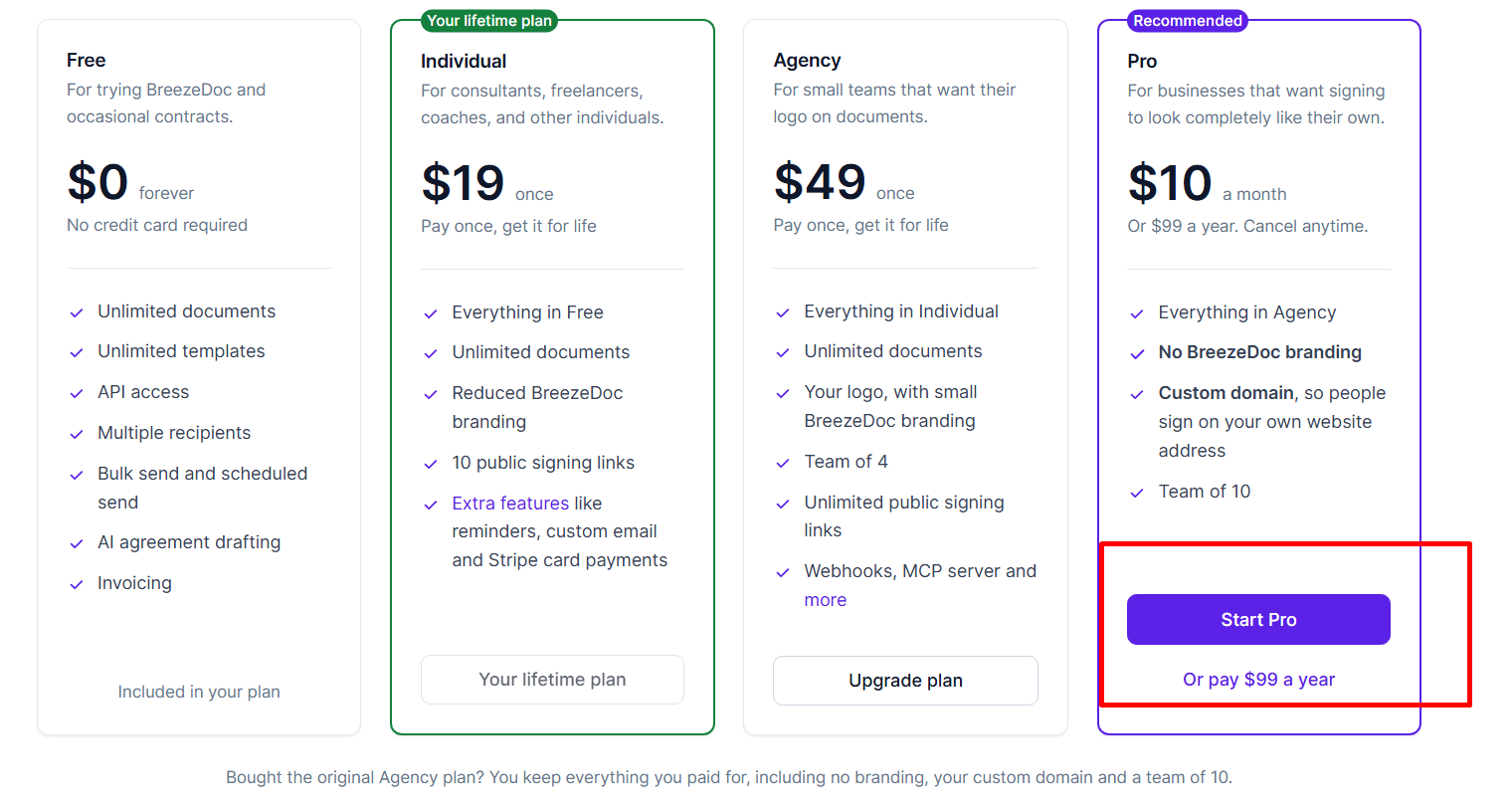
There is no free trial. Step-by-step details are in How to Upgrade Your BreezeDoc Plan.
How Do I Manage or Cancel Pro?
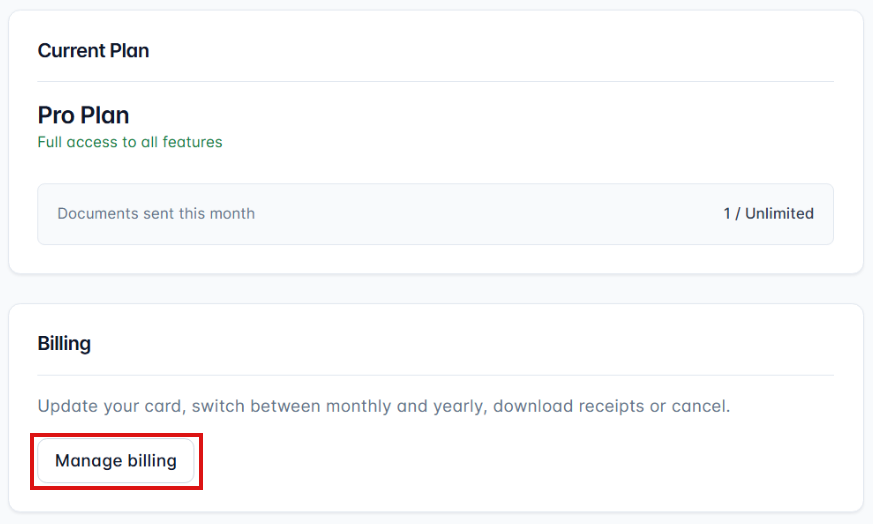
- Open Settings → Plan and click Manage billing. This opens your secure billing page.
- To change your card, switch between monthly and yearly, or download receipts, use the options on that page.
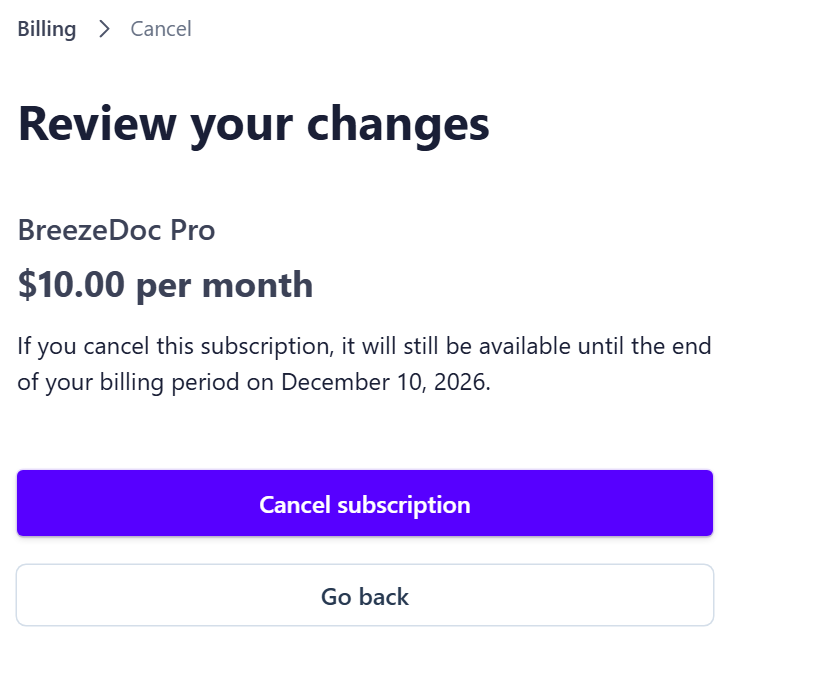
- To cancel, click Cancel subscription, then confirm with Cancel subscription.

You keep Pro until the end of the period you already paid for. After that, your account goes back to your previous plan. Changed your mind? Click Don't cancel subscription on the same page before that date.
Troubleshooting
I can't send a document on the Free Plan
- Verify your email address first. The send page shows Resend verification email if you missed the email.
I don't see Go Pro on my Plan page
- On the original Agency plan (bought before November 4, 2026, or upgraded to it)? Your plan already includes everything in Pro, so there is nothing to buy.
- Already on Pro? You see Billing with Manage billing instead.
A feature shows an upgrade button
- It belongs to a higher plan. Compare the table above, and check your current plan under Settings → Plan.
Still stuck? Email support@breezedoc.com with your account email and the plan you want.
Frequently Asked Questions
Is Individual or Agency really a one-time payment?
Yes. Individual ($19) and Agency ($49) are paid once, with lifetime access and a 60-day refund guarantee. Only Pro is billed monthly or yearly.
How do I cancel Pro?
Go to Settings → Plan → Manage billing and click Cancel subscription. You keep Pro until the end of the period you already paid for, then your account goes back to your previous plan.
Can I try a paid plan before I commit?
There is no free trial. Individual and Agency have a 60-day refund guarantee, and Pro can be cancelled anytime.
Can I downgrade my plan?
Individual and Agency can't be downgraded inside BreezeDoc. Email support@breezedoc.com within 60 days of purchase for a refund.
Need more help? Contact our support team at support@breezedoc.com - we are here to help!