
BreezeDoc API: Getting Started, Endpoints and Limits
The BreezeDoc REST API creates documents from templates, sends them, tracks signing, and manages invoices. Tokens: Settings → Integrations (Individual or Agency).
Prerequisites
- Plan: Individual Plan ($19 one-time) or Agency Plan ($49 one-time) - the API is not part of the Free Plan
- A token: a personal access token or an OAuth 2.0 client, created on the API Settings page
- Tools: an HTTP client such as curl, Postman, or your programming language's HTTP library
What Can I Do With the API?
- Create documents from your templates and send them for signature
- Track signing through documents and recipients
- List team documents and templates (Agency teams)
- Create, update, send, and delete invoices
The complete reference with request and response examples is public at breezedoc.com/developer/docs.
How Do I Get Started?
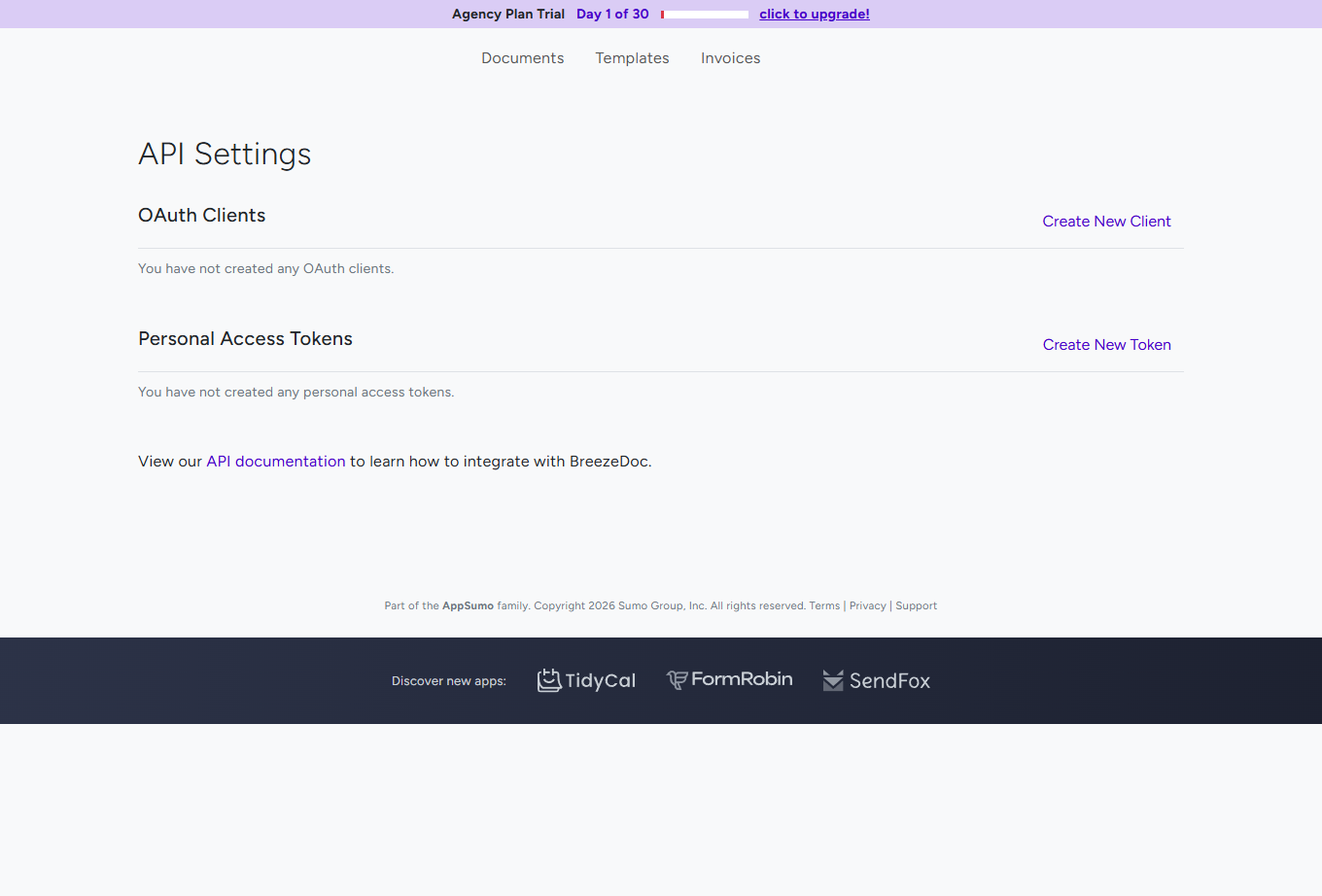
- Open Settings → Integrations and click Manage API Keys. The API Settings page opens.
- For your own scripts, click Create New Token under Personal Access Tokens, enter a Name:, and click Create. Copy the token - it is shown only once and expires after one year. See Personal Access Tokens.
- For an app that other BreezeDoc users sign in to, click Create New Client under OAuth Clients. See How to Set Up an OAuth 2.0 Client for Your App.
- Send your first request with the token in the
Authorizationheader.
What does a first request look like?
curl -X GET https://breezedoc.com/api/me \
  -H "Authorization: Bearer YOUR_ACCESS_TOKEN" \
  -H "Accept: application/json"
The response describes the account that owns the token:
{
  "id": 12345,
  "name": "Jane Smith",
  "email": "jane@example.com",
  "created_at": "2026-01-15T10:00:00.000000Z",
  "updated_at": "2026-09-01T08:30:00.000000Z"
}
Which Endpoints Are There?
- Account:
GET /api/me - Documents:
GET /api/documents,POST /api/documents,GET /api/documents/{id},GET /api/documents/{id}/recipients,POST /api/documents/{id}/send - Templates:
GET /api/templates,GET /api/templates/{id},POST /api/templates/{id}/create-document - Recipients:
GET /api/recipients - Teams:
GET /api/teams/{id}/documents,GET /api/teams/{id}/templates - Invoices:
GET /api/invoices,POST /api/invoices,GET /api/invoices/{id},PUT /api/invoices/{id},DELETE /api/invoices/{id},POST /api/invoices/{id}/send
Lists return 10 items per page. GET /api/documents also accepts completed=true or false, and order_by=id or completed_at with a direction.
What Can the API Not Do?
- No PDF uploads - build a template in BreezeDoc, then use
POST /api/templates/{id}/create-document. - No document edits after creation (no update endpoint for documents) and no field values before sending.
- No signing through the API - signers use their signing link.
- No signed-PDF download endpoint - the completed PDF comes by email or from the Documents page.
- No webhooks - poll
GET /api/documentsorGET /api/documents/{id}/recipientsfor status.
What Are the Rate Limits?
- 60 requests per minute per account, on every endpoint.
- Creating documents: 100 per day. Sending documents: 20 per hour.
- Creating invoices: 100 per day. Sending invoices: 20 per hour.
- Sending a document also counts toward your plan's monthly sending allowance - when it is used up, the send returns HTTP 426.
Headers, 429 handling, and error codes are explained in API Authentication and Rate Limits.
Common Workflows
How do I send a document from a template?
GET /api/templates- find the template ID.POST /api/templates/{id}/create-document- create the document with its recipients.POST /api/documents/{id}/send- send it.GET /api/documents/{id}/recipients- poll until every recipient has acompleted_at.
Templates are created in BreezeDoc - see Creating and Using Templates.
Troubleshooting
I get 401 "Unauthenticated."
- Check the header:
Authorization: Bearer YOUR_TOKEN, with one space after Bearer. - The token may have been deleted or be older than one year - create a new one.
- A token from the client credentials grant has no user and is rejected everywhere - use a personal access token or the authorization code flow.
I get 429 Too Many Requests
- Wait for the time in the
Retry-Afterheader. Document and invoice creation and sending have daily and hourly caps.
Sending returns 426
- Your plan's monthly sending allowance is used up. It resets on the 1st; the Agency Plan is unlimited.
I do not see Manage API Keys
- The API is part of the Individual and Agency Plans - see which plan you are on under Settings → Plan.
Still stuck? Email support@breezedoc.com with the endpoint, the HTTP status, and the response body (never your token).
Frequently Asked Questions
Can I use the API on the Free Plan?
No. The API is part of the Individual Plan ($19 one-time) and the Agency Plan ($49 one-time).
Where is the full API reference?
At breezedoc.com/developer/docs - it is public, no login needed.
Does BreezeDoc send webhooks?
No. Poll the documents or recipients endpoints to follow signing progress.
Can I upload a PDF through the API?
No. Create a template in BreezeDoc and create documents from it with the API.
Need more help? Contact our support team at support@breezedoc.com - we are here to help!